Studio IA

Your video channels, produced on your own PC

Studio IA researches the facts, writes the script, adds the voice, edits, subtitles and prepares each video for YouTube and TikTok. You watch, you approve, it sends.

For Windows 10 and 11. It runs on your own computer: no credits, no limit per video.

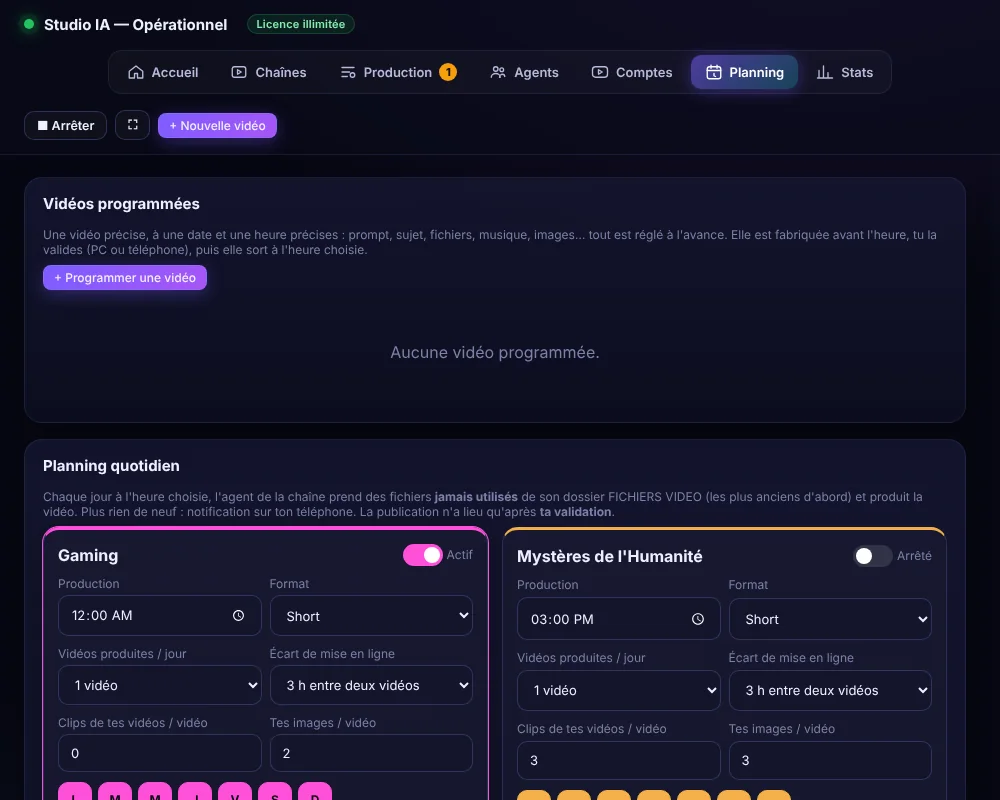
Studio IA planning screen with scheduled videos and a daily plan per channel

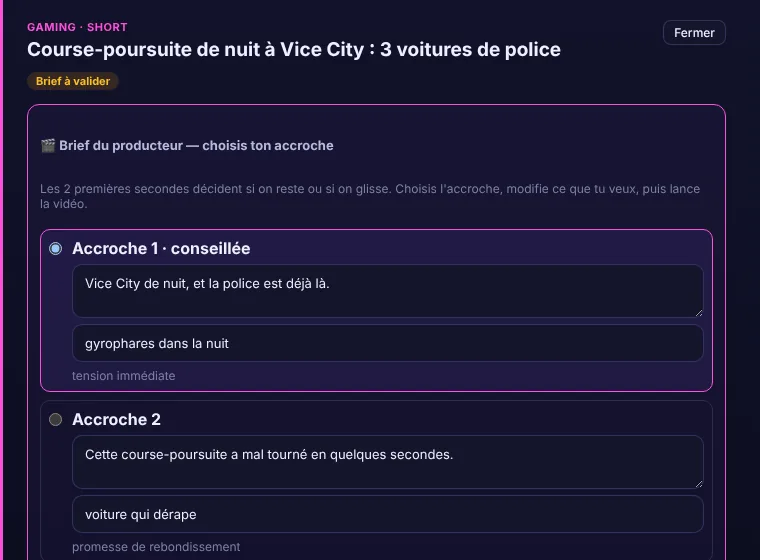
From a topic to a video waiting for your approval

Seven steps that you used to do with as many different tools, in one program.

Screenshots show the real program. Its interface is currently in French.

  1. 1

    Research

    Collects recent news and sources. Labels what is confirmed, what is a rumour and what is only a hypothesis.

  2. 2

    Script

    Writes a script sized to the length you choose: Shorts from 30 seconds to 3 minutes, long videos up to 15 minutes.

  3. 3

    Voice

    Reads it aloud with the voice you pick, in English, French or Brazilian Portuguese.

  4. 4

    Images

    Uses free stock photos and videos, or creates every image on your graphics card in the style of an example you give.

  5. 5

    Editing

    Cuts the video, adds animated subtitles, music, your watermark and a thumbnail.

  6. 6

    Approval

    Shows the copyright and monetization points to check. Then it waits: nothing leaves without your OK.

  7. 7

    Upload

    Sends to YouTube as private, or schedules it. Sends to TikTok as a draft.

Why a program on your PC

  • One program instead of many tools

    Research, script, voice, images, editing and upload happen in the same place.

  • Your PC does the work

    No credits to buy and no daily limit. Your graphics card creates the images.

  • You keep control

    Every video waits for your approval. You can approve from your PC or from your phone.

Made for people who publish every week

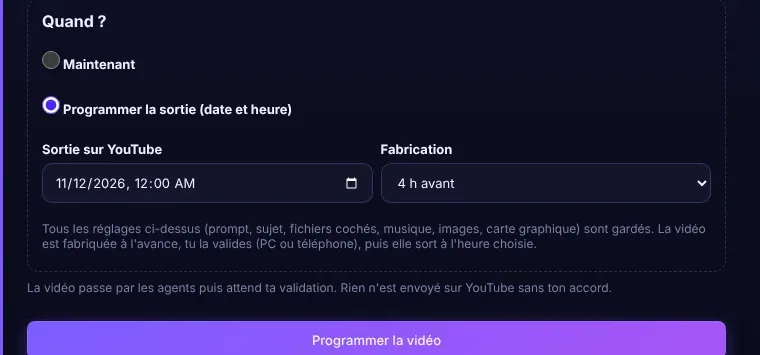
Plan videos for the day and hour you choose

Set the prompt, the length, the language, the voice and the release time. The video is made in advance, you approve it, and it goes out on time. A daily plan can also produce videos for each channel by itself, still waiting for your approval.
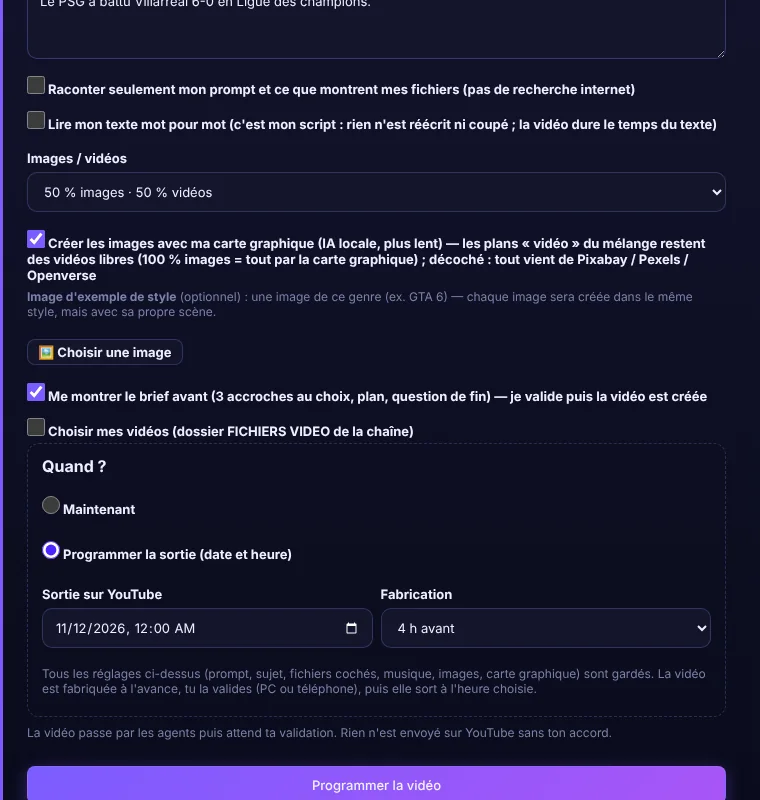
Scheduling a video for a chosen date and time

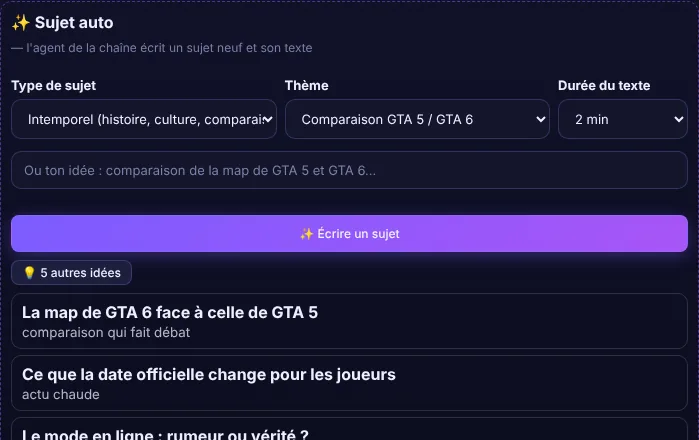
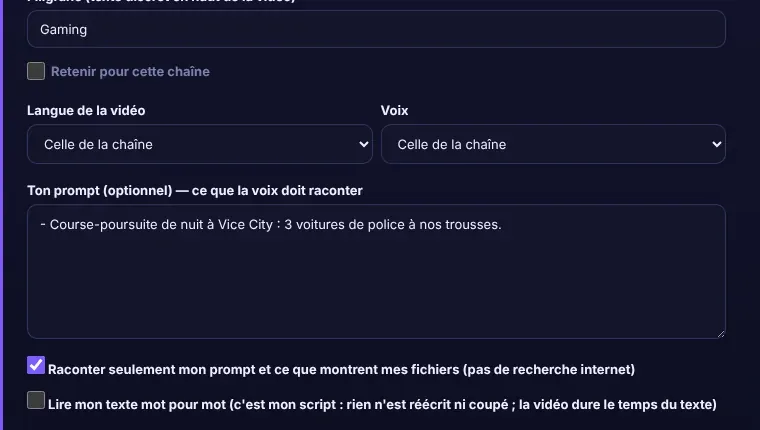
Every video, your settings

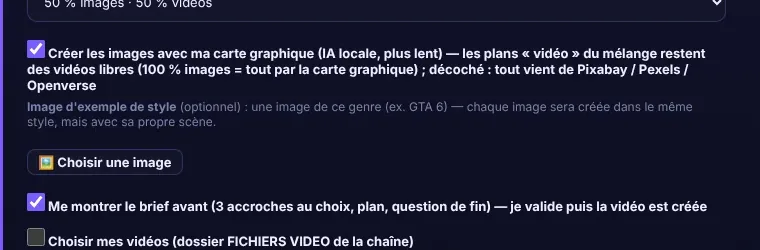
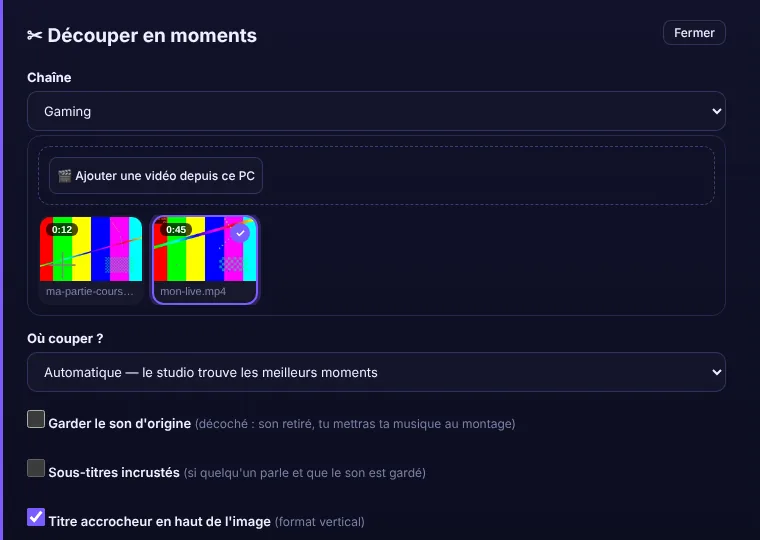
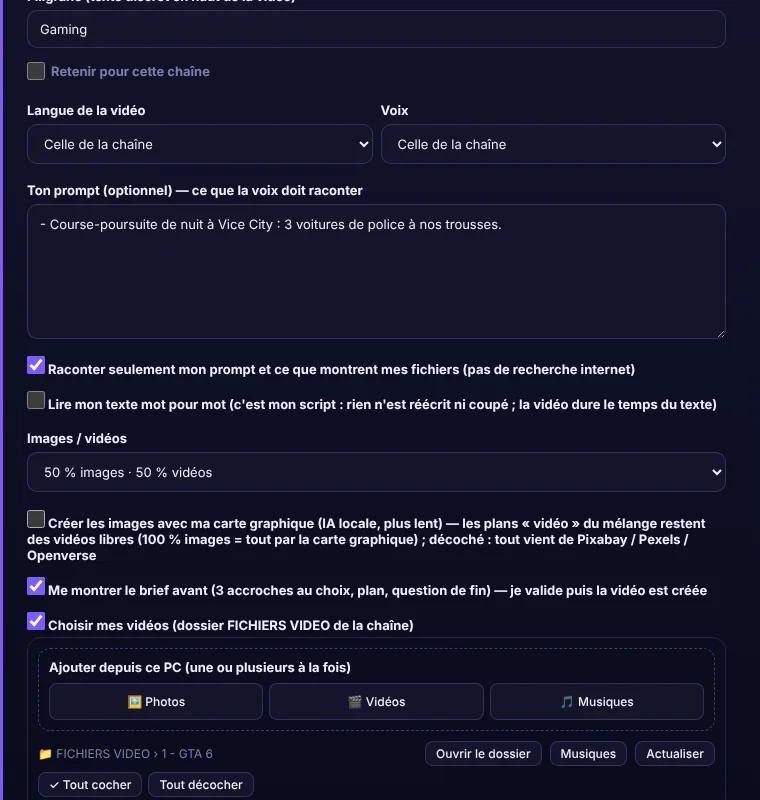
Choose the language and the voice for each video. Write the text you want read word for word, or let Studio IA write it. Use your own videos and photos, add your watermark, and give an example image so the AI images follow its style.

New video window with language, voice, prompt and image options

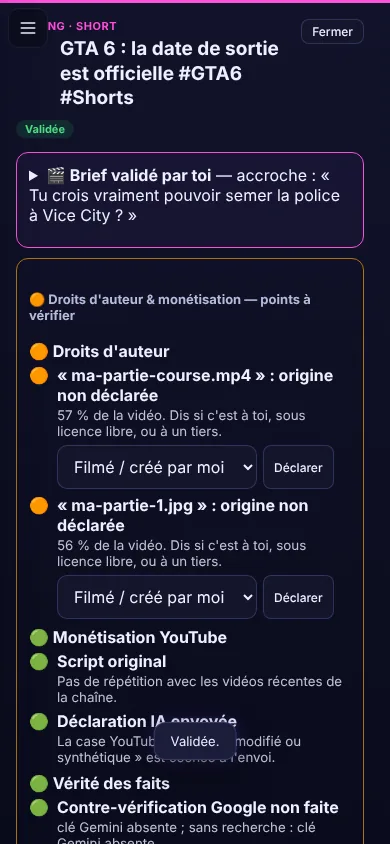
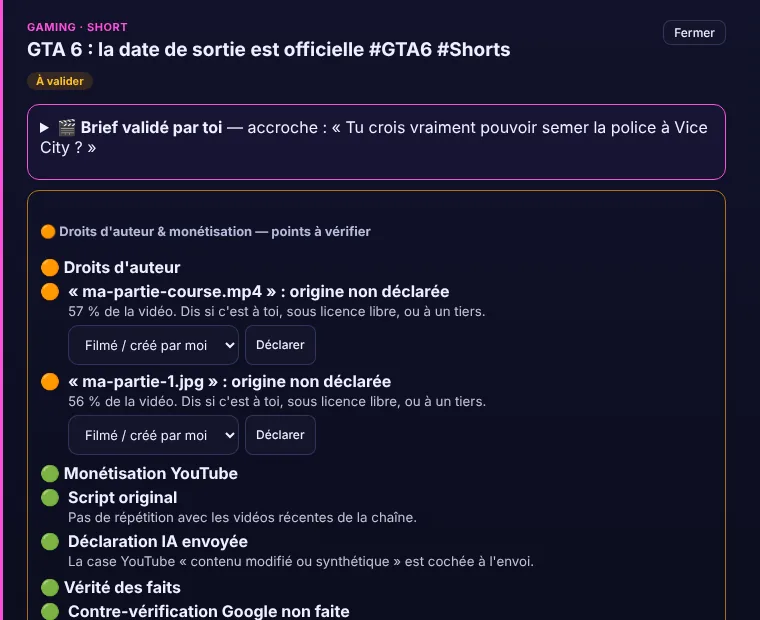
Approve from your phone

Your phone connects privately to your PC. Before you approve, you see the copyright and monetization points to check. No AI runs on the phone: your PC does the work.

Phone screen showing copyright and monetization checks before approval

English, French, Brazilian Portuguese

Pick the language of each video. Studio IA writes, voices and subtitles it in that language.

EnglishFrançaisPortuguês (Brasil)

All your channels, tracked in one place

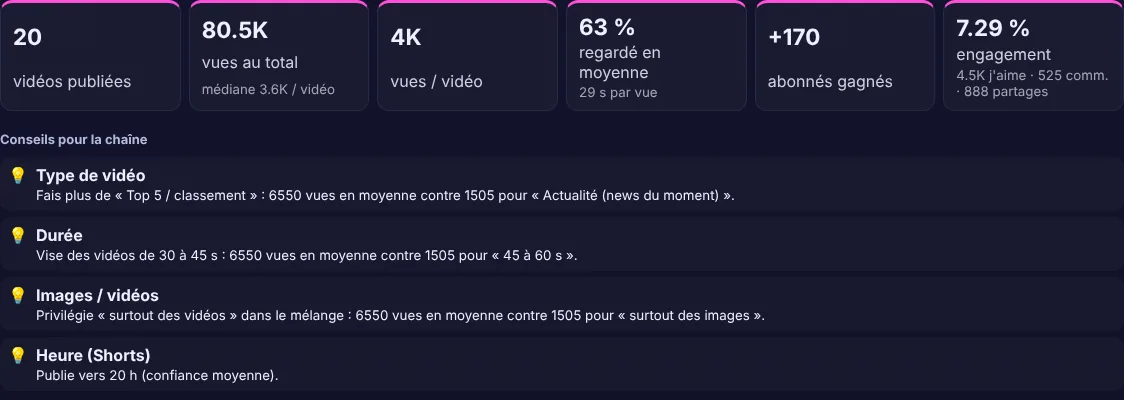
Studio IA follows the results of every channel and shows what works, so your next videos get better.

Statistics screen with views, subscribers gained, watch rate and advice for a channel

Results at a glance

Videos published, views, subscribers gained, watch rate and engagement for each channel, with advice drawn from your own videos.

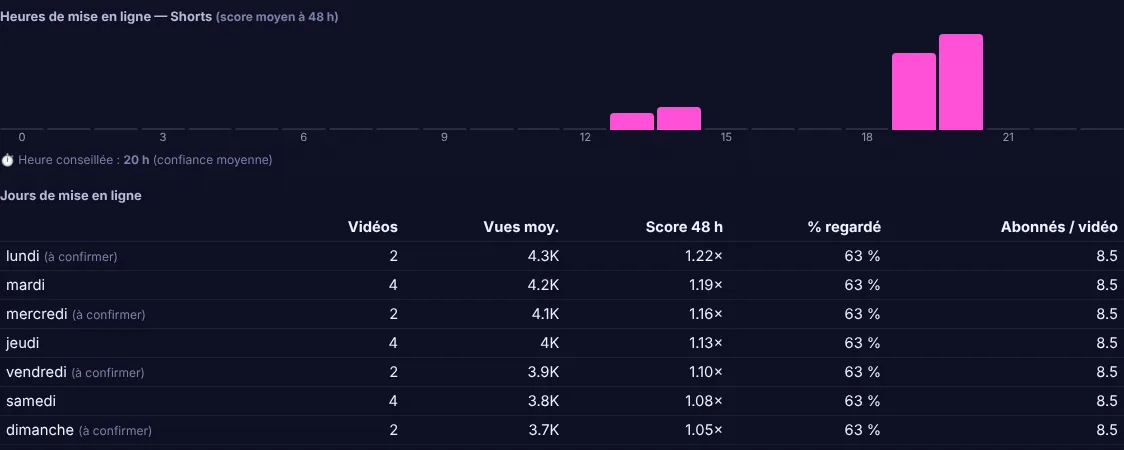
Charts of the best hours and days to publish, and tables by video type and length

The best hour and day to publish

See when your videos do best, and compare video types, lengths and image mixes.

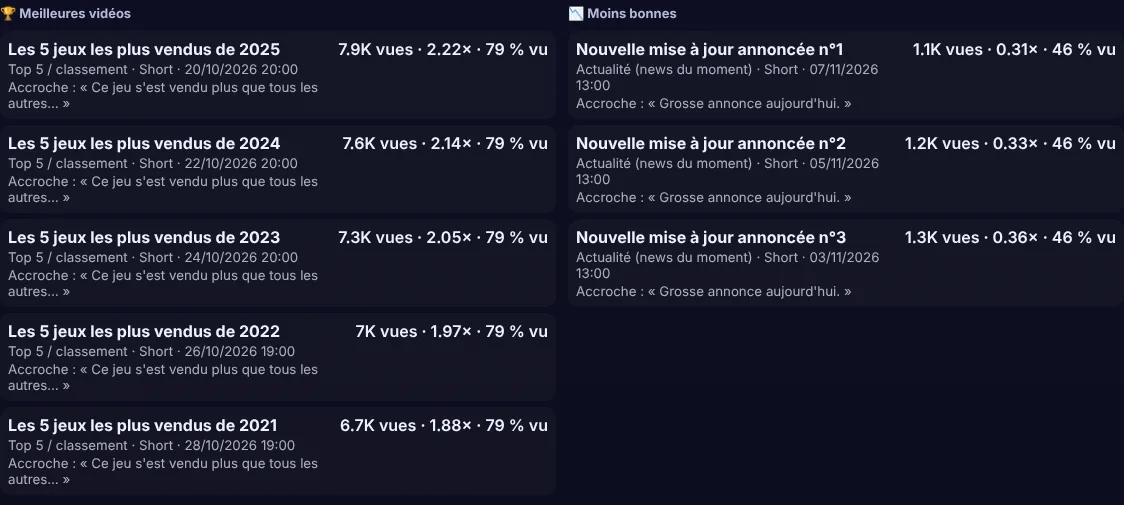
Lists of the best and weakest videos of a channel

Your best and weakest videos

Learn from what worked: every video is ranked with its views and the share watched.

Screens show demonstration data.

What you need

  • Windows 10 or 11, 64-bit

    Studio IA is installed for your user account.

  • A graphics card for AI images

    Tested on an NVIDIA RTX 3060 with 12 GB. Without it, images come from free stock libraries.

  • An internet connection

    The licence is checked online, and research and uploads need it.

  • Free accounts for YouTube and TikTok

    The program explains each step. TikTok needs a free developer app.

Pricing

Every licence includes every feature. The 6-month, 12-month and unlimited plans are paid once. The 1-month plan renews monthly until you cancel, at any time.

Try it free for 4 days

Ask for a trial key by email and test Studio IA with your own channels.

Ask for a trial key
  • Monthly

    €19

    1 month

    Buy
  • Six months

    €60

    6 months. ≈ €10 a month

    Buy
  • Best value

    One year

    €90

    12 months. ≈ €7.50 a month

    Buy
  • Unlimited

    €180

    No expiry date

    Buy

Prices include taxes where they apply.

Download Studio IA

  1. Download Studio-IA-Setup.exe.
  2. Run it and follow the installer.
  3. Enter your licence key. No key yet? Ask for the free 4-day trial.

Download for WindowsLatest version: 2026.11.22

Questions

Does Studio IA publish on its own?

No. Every video waits for your approval. Nothing is sent to YouTube or TikTok without it.

What about copyright and monetization?

Studio IA shows the points to check: where your own files come from, whether the script is original, and the AI disclosure. The channel owner stays responsible and has to follow the rules of YouTube and TikTok.

How does TikTok work?

The video arrives as a draft in your TikTok inbox. You finish and publish it in the TikTok app. Direct publishing stays private until TikTok has reviewed your app.

Can I use it from my phone?

Yes, with one phone linked privately to your PC. The phone only shows and approves: no AI runs on it.

Does it work offline?

No. The licence is checked online while Studio IA runs, and research and uploads need the internet.

Where are my videos and data?

On your own computer.

A question, a trial key or an order?

Write to us and we answer by email.

supporrttss@gmail.com

Send an email